Hierarchy Color Studio
A downloadable tool for Windows and Linux
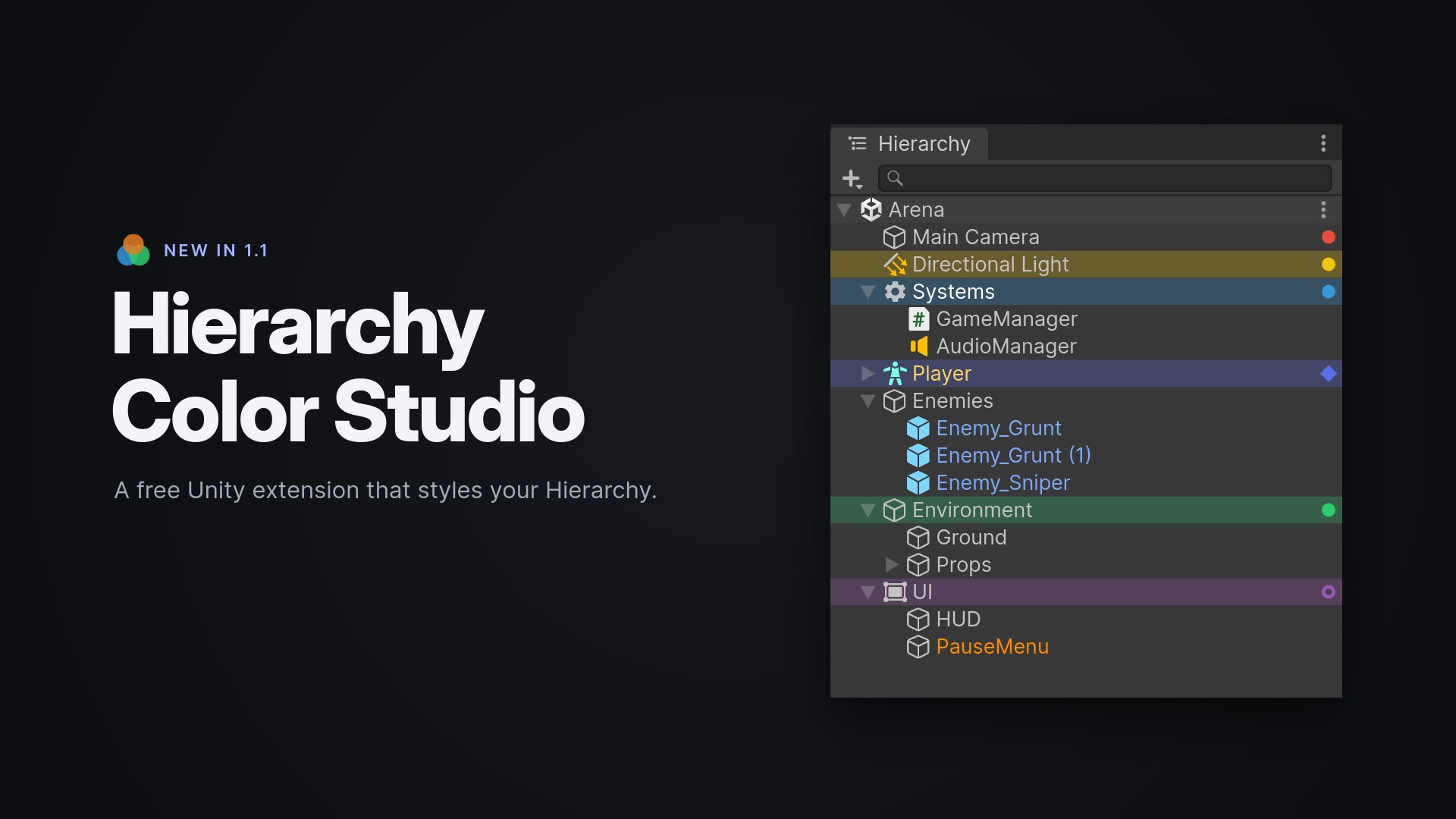
🎨 Hierarchy Color Studio colors GameObjects in Unity's Hierarchy window so large scenes stay readable.
✨ Row styles
- Every colored object (and every preset) has its own style: main color, background, text color, marker and icon
- A separate text color: e.g. a dark blue background with white text, or just orange text with no background
- Marker shapes: Dot, Bar, Square, Ring, Diamond and Triangle
- 64 curated Unity built-in icons, or any built-in icon by name. Icons can replace the GameObject icon or sit at the end of the row
- A live preview of the row as you edit
🦓 Hierarchy modes
- Zebra: alternating row shading with adjustable strength
- Minimal: hides the generic GameObject icon so meaningful icons stand out
- Minimal + Zebra
- Optional icons for "folder" objects and prefab roots
⚡ Workflow
- Multi-selection, applied as a single undo step
- Optional apply to children: direct children or all descendants
- Ten editable presets, plus custom colors via RGB sliders or HEX
- Save As Preset straight from the selection
- Default shortcuts: Alt+Shift+C to set a color, Alt+Shift+Backspace to clear it
- Full Undo/Redo through Unity's own Undo system
🧩 Works with your project
- Prefab Mode, additive scenes and unsaved scenes
- Import/export of color schemes as JSON to share with your team
- Light and dark Editor themes
- Built-in, URP and HDRP
🛡️ Clean by design
- Editor-only: one assembly that can't end up in a build
- No components on your GameObjects
- No runtime code
- Nothing written into your scenes
🔧 Compatibility
- Unity 6 (verified on 6000.3 and 6000.5)
🛒 Unity Asset Store: Link
💻 Source code: Link
🎬 Video: Link
🌐 Website: https://crynet.dev/
Feedback and feature ideas are very welcome. Leave a comment below! 🙌
Download
Leave a comment
Log in with itch.io to leave a comment.